Some apps you install for one reason and keep for all the others. CleanShot X is that app on my Mac. I started using it through a Setapp subscription and never stopped. It’s probably the app I use the most, and this time I have proof.
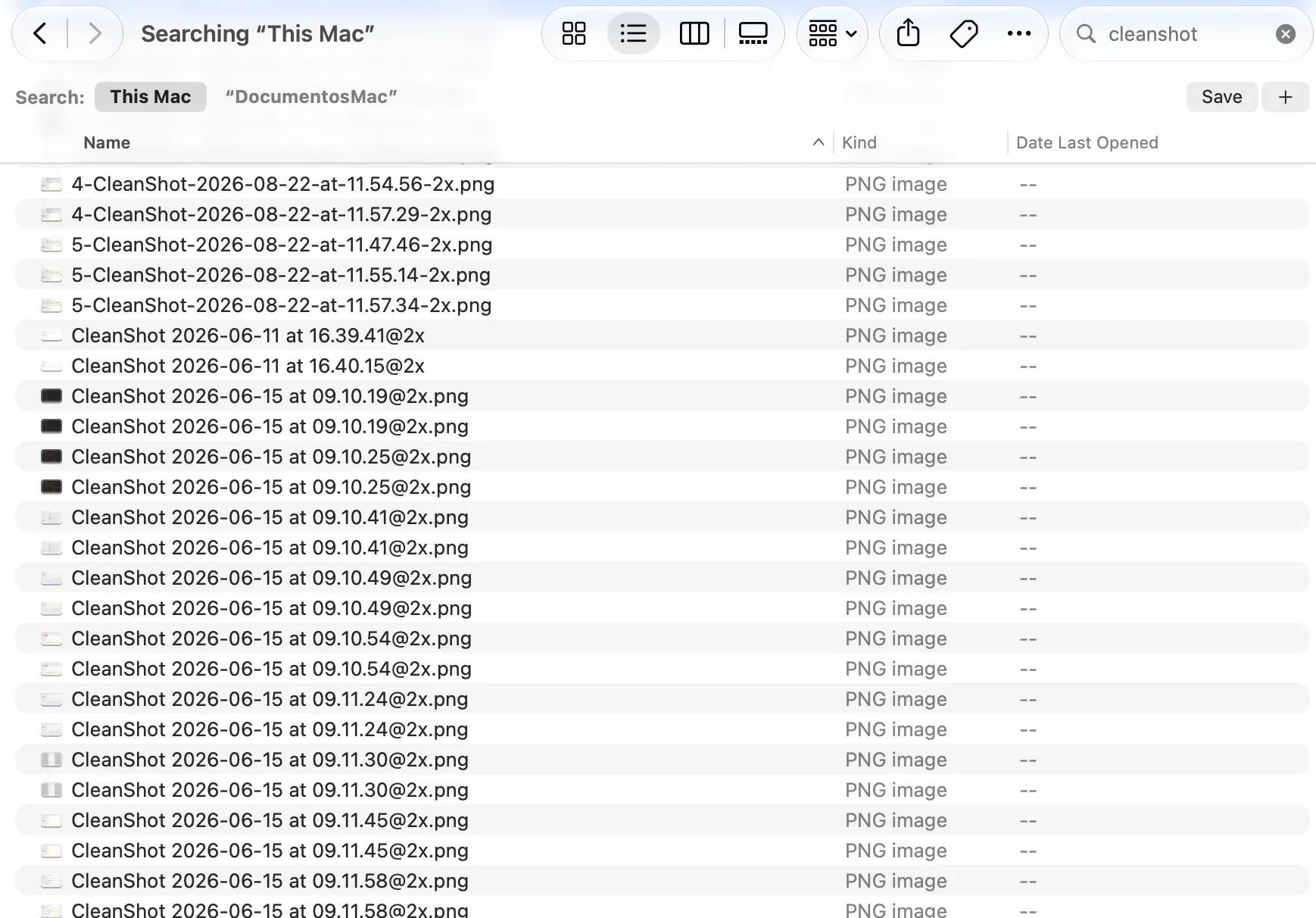
The proof is that search. I typed the app’s name and Finder gave back a list that doesn’t fit on the screen, with files from June, from August and from every month that was left over. (In my defense, every one of those screenshots had a good reason. Probably.)
This is my CleanShot X link. It’s for Mac users who take more screenshots than they’d like to admit.
(Yes, it’s an affiliate link: CleanShot pays me a commission on sales made through it, and the program page mentions 25%. It doesn’t cost you anything extra. Disclosure first, link second.)
Below you’ll find what the app does, why I call it the Picasso of the print screen, what it costs and the question that matters: is it worth it? (Spoiler: depends on how many screenshots you take a day.) Prices change, so check the page before you pay. Last updated November 19, 2026.
What CleanShot X is
CleanShot X is a screenshot and screen recording app built only for macOS. The product page says it has more than 50 features and more than 250,000 users, which are their own marketing numbers, so take them with the usual grain of salt. The basics are what you’d expect: you press a shortcut, pick the area and the screenshot is ready to save, copy or drag into another app.
The difference is what happens after the screenshot.
The Picasso of the print screen
After each capture, a quick panel pops up that lets you annotate, copy, save or drag the file wherever it needs to go. And the editor is generous. According to the features page, it has crop, pixelate, arrow, blur, spotlight, counter, pencil, highlighter, shapes and text.
There’s also a background tool: it puts the screenshot on a background with padding and a shadow, and the page mentions 20 ready-made backgrounds plus presets of your own. So a plain screenshot becomes an image that looks like a designer touched it. You can walk out of the editor with a work of art. Or, more realistically, with a perfectly placed red arrow, which solves more problems in real life.
Thanks, CleanShot, for making every screenshot so pretty that I can’t bring myself to delete a single one.
More than screenshots
- Scrolling capture. Grabs content taller than your screen, such as long chats and code, in any scrollable app. That family group chat that never ends now fits in one image. Who hasn’t needed that?
- Screen recording. Records a window, the full screen or an area, as MP4 or GIF, with optional microphone and computer audio.
- Text from images (OCR). Copies text you can’t normally select and reads QR codes. According to the product page, recognition runs on your Mac.
- Self-timer and freeze screen. The first gives you a few seconds to set the scene. The second freezes the display so you can catch what moves.
- Pinned screenshots. Keeps a capture floating above other windows, with adjustable size and opacity.
- CleanShot Cloud. Uploads a capture in one click and gives you a link, with optional password and expiration.
How much CleanShot X costs
According to the pricing page, these are the plans:
| Plan | Price | What you get |
|---|---|---|
| Basic | $35, one time | A year of updates and 1 GB on CleanShot Cloud. Renewing updates afterwards is optional, at $19 a year |
| Pro | $10 per user per month, billed annually | Everything in Basic, plus unlimited cloud, custom domain and branding and team features |
The page lists prices in US dollars, and taxes may apply at checkout. Students get 30% off with a university email.
There’s no free trial, but there’s a 30-day money-back guarantee. If you’d like to try it first, there’s another route: the app is available through a Setapp subscription, which, according to CleanShot’s FAQ, comes with a 7-day free trial. That’s how I started.
Is CleanShot X worth it? Who it makes sense for
It makes sense if you use a Mac and take screenshots often: for work, support, tutorials, bug reports, conversations nobody believes unless you prove them. In that case, $35 paid once is small next to how many times you’ll press the shortcut.
It makes less sense if you use Windows, Linux or an iPhone (the app is macOS only), or if you take two screenshots a year. Then what already comes with the Mac does the job, and life goes on.
If you want your desktop covered in CleanShot images like mine, just give it a try. Don’t say nobody warned you: CleanShot X link.
Sources
The data comes from CleanShot’s own pages, read on November 19, 2026: the home page, pricing and features. My experience with the app is personal. Prices, limits and promotions change, so CleanShot has the final word.